Run Windows on your Mac in minutes.
Use Power BI, ArcGIS Pro and other Windows-only apps without buying another computer or committing to a yearly plan.
Use the Windows app you actually need.
Built for the moments when your Mac is perfect—except for that one class, project, or Windows-only tool.
Power BI
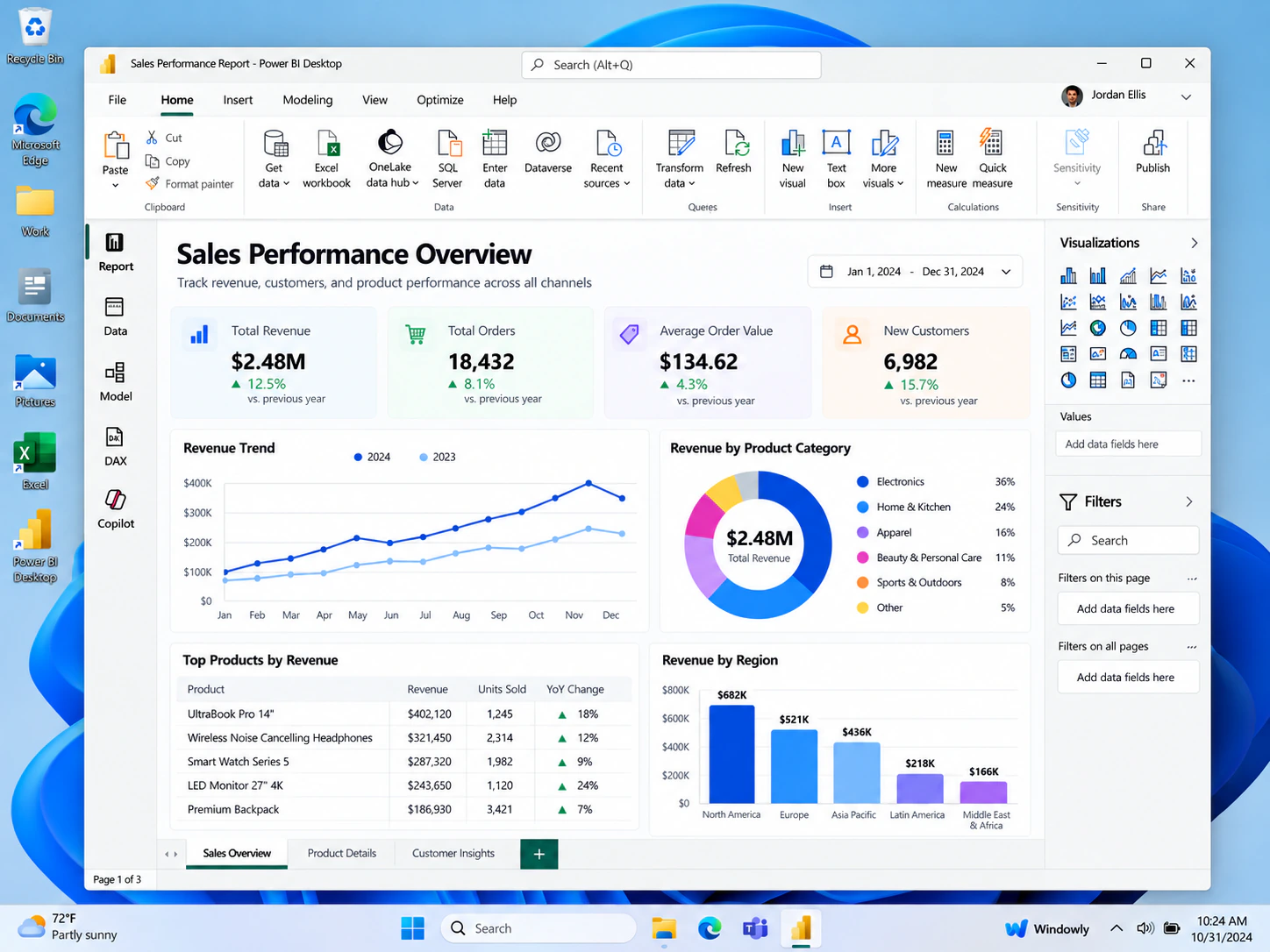
Run Power BI Desktop for analytics coursework, dashboards, and class projects.
Power BI on Mac →Quick download
Download, install, and get into Windows fast when you need a Windows-only app on your Mac.
Windows on Mac →ArcGIS Pro
Use Windows-first GIS tools without replacing your Mac or buying a second computer.
ArcGIS Pro on Mac →Other Windows apps
For work, school, testing, or those occasional apps that simply don’t exist on macOS.
Compare approaches →What it actually looks like inside Windows.
See the Windows workspace before you begin: install once, launch Windowly, and open the app you need.
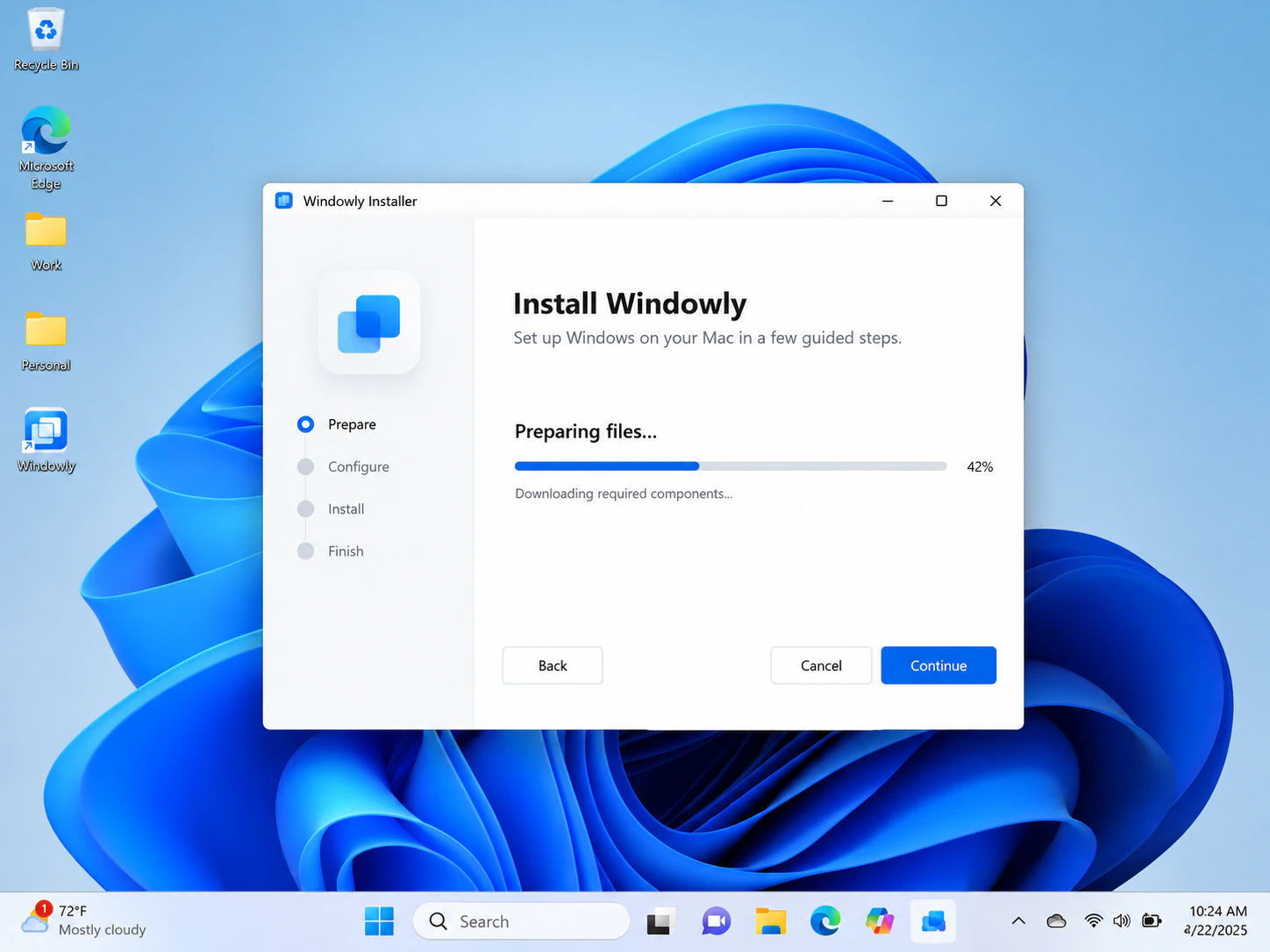
Simple setup
A guided installer makes the first setup feel straightforward instead of technical.
Power BI Desktop
Open Windows-only apps like Power BI and work inside a familiar Windows environment.
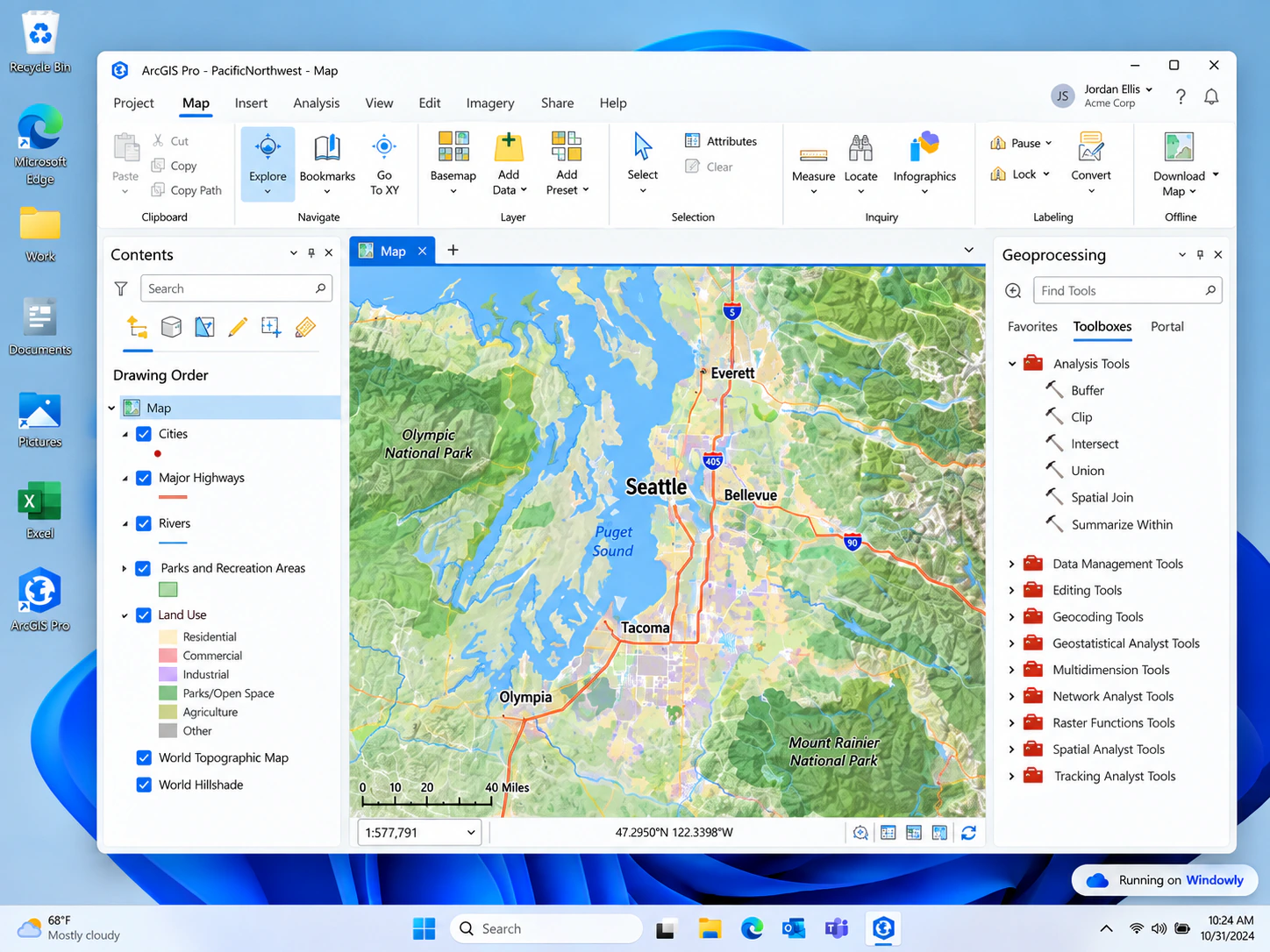
ArcGIS Pro
Run demanding Windows-first tools on your Mac when your course or project requires them.
Three steps. No virtualization degree required.
The experience should feel like installing an app—not configuring a lab.
Try free
Open secure Stripe Checkout and start your 3-day free trial.
Install once
Follow a short setup flow on your Mac. No annual plan required.
Open Windows
Launch Windows and use the app you came for.
Your Mac stays under your control.
Trust matters when software touches your computer. The product experience should be transparent, removable, and easy to understand.
Runs on your Mac
Your Windows environment runs locally on your device.
Easy to remove
Uninstall when you no longer need Windows.
No remote-control positioning
The product is designed as a local utility, not a remote-access service.
No annual lock-in
Continue monthly only while it is useful to you.
Pay for Windows when you need Windows.
Start with a 3-day free trial. After that, continue only if it is useful to you.
Compatibility & subscription details
Compatibility: Windowly is early-access software for Apple Silicon Macs running macOS 14 or later. Windows and application licences are not included. Compatibility and performance vary by hardware, macOS version, memory, storage and application.
Billing: Cancel before the 3-day trial ends to avoid the first charge. After a paid period begins, cancellation stops the next renewal; access continues through the current billing period.
Questions before installing?
Does it work on Apple Silicon Macs?
We are building early access for modern Apple Silicon Macs. Exact chip and macOS compatibility will be listed before download.
Do I need a Windows licence?
Yes. Windowly does not sell or provide a Microsoft Windows licence. You are responsible for obtaining a valid Windows licence and licences for any third-party software you install.
Can I use Power BI or ArcGIS Pro?
These are the first apps we are validating for early access. Compatibility will be shown per app before download.
Can I cancel anytime?
Yes. Cancel online through the secure Stripe customer portal—no email or phone call required. Cancel before the 3-day trial ends to avoid the first $9.99 monthly charge; otherwise cancellation takes effect at the end of the current billing period.
Can I remove it from my Mac?
Yes. The final product should include a clear uninstall flow and instructions.
What happens after I click Try free?
You’ll go directly to secure Stripe Checkout, review the recurring-subscription terms, and start the 3-day trial. After checkout, you’ll receive a written confirmation and access instructions at the email address entered during checkout.
Need Windows on your Mac?
Start with a 3-day free trial. Then continue for $9.99 USD/month plus applicable taxes. Cancel online anytime.
Try free →